

5 Things Every Public Works Director Should Know About GIS

Imagine trying to manage a city without knowing what’s underground, what’s overdue, or what’s failing next. That’s daily life for many public works leaders without GIS — a tool that’s quickly becoming essential in the field. Geographic Information Systems aren’t just for map nerds or big-city IT departments. They’re practical, everyday tools that help you respond faster, plan smarter, and back up your decisions with real data.
Whether you’re just starting to explore GIS or ready to modernize your existing system, here are five things worth knowing:
1. GIS Is More Than Just Maps — It’s a Decision-Making Engine
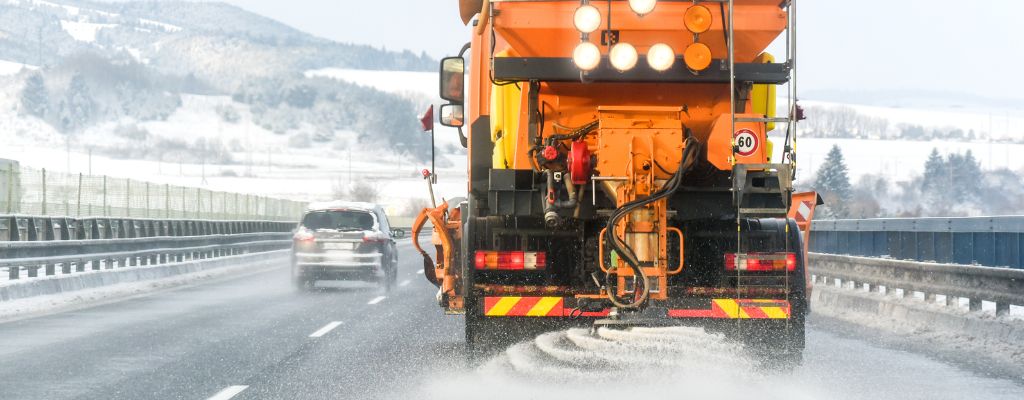
GIS isn’t just a way to draw pretty maps — it’s a real-time command center for modern public works. By integrating live data feeds like automatic vehicle location (AVL) systems and IoT sensors with GIS, departments gain a dynamic, constantly updating view of field operations. Street sweepers, snowplows, flood sensors, and landfill temperature monitors can all transmit actionable insights directly to decision-makers.
According to the APWA Reporter (May 2025), many agencies are integrating real-time vehicle data with GIS to not only track location but also details like blade position on snowplows, application rates of road treatments, or even the detection of graffiti using AI-powered cameras. This shift allows public works departments to move beyond static maps into enterprise-wide situational awareness.
This approach is helping cities improve operational transparency, reduce manual reporting burdens, and act faster when conditions change.

2. Mobile GIS Gets Crews Out of the Office and Into Action
Your field staff doesn’t need to drive back to the office for paper maps anymore. Mobile GIS apps allow crews to view utility maps, track tasks, update records, and respond to issues directly from the field — saving time and reducing errors.
Take Hillsboro, Oregon. Their Public Works Operations Division manages over 460 curb miles of street sweeping while maintaining MS4 compliance. By integrating AVL systems into their GIS platform, they transformed a manual process into a live dashboard, giving real-time visibility into vehicle paths and system performance. The team pulled live data like vehicle speed, orientation, and whether the sweeper was active — then delivered it all through an easy-to-use app for internal and public use (Esri Case Study).
The result? Less time on reports, more time on results.

3. GIS Helps You Win Grants and Justify Your Budget
Funding agencies increasingly expect data-driven proposals — and GIS gives you the tools to deliver. When applying for infrastructure grants, spatial data can help demonstrate need, show projected outcomes, and document compliance with regulatory requirements.
GIS can also help track and report on grant-funded projects. You can visualize progress over time, monitor key performance metrics, and keep the public informed through interactive maps and dashboards. This transparency builds trust and strengthens future applications.
Beyond grants, GIS supports internal budgeting too. You can forecast costs, map maintenance cycles, and prioritize improvements based on asset condition, usage, or risk — all with a few clicks.
GIS also supports long-term budget planning by visualizing the age, condition, and risk level of your infrastructure — giving you a stronger case in front of councils and committees.

4. GIS Isn’t Just for Big Cities
One of the most common myths in public works? That GIS requires a full-time specialist or six-figure investment. That might’ve been true 15 years ago, but not anymore.
Small communities like Peterborough, New Hampshire (population 6,300), have implemented highly functional GIS systems with limited staff. Their GIS supports land use planning, road maintenance, emergency services, and even water system modeling. According to ICMA, Peterborough’s success lies in choosing scalable technology and committing to good data practices — not necessarily high-end staffing (ICMA Case Study).
With cloud-hosted solutions and support partners like InteractiveGIS, even the smallest public works departments can start small and grow over time.
5. Your GIS Is Only as Good as Your Data
You don’t need perfect data to start — but you do need a plan to keep it current. If your GIS database isn’t regularly updated, your maps will quickly become unreliable. Think of GIS as a living system. When field staff close work orders, replace assets, or collect inspection data, that information should feed directly into your system.
This matters most in public safety. According to CentralSquare, public safety agencies rely on accurate GIS data to optimize emergency response, reduce dispatch errors, and pinpoint locations during crises (CentralSquare Article). Poor data can slow down response time—or even send help to the wrong place.
A well-maintained GIS gives your whole team — field crews, planners, managers — confidence that what’s on the screen matches what’s in the ground.
Why GIS Might Be Your Best Crew Member Yet
GIS isn’t just software. It’s your department’s digital backbone — tying together assets, staff, schedules, and service delivery into one visual, interactive platform. It helps you spot problems early, defend your decisions with data, and improve how your entire team works together.
Whether you’re overseeing a growing city or managing a small-town crew, a good GIS doesn’t just make your job easier — it makes your whole operation better.
Want help getting started or leveling up your current setup? The team at InteractiveGIS is here to support you with practical, purpose-built tools designed for public works.